
Chargehub EV & Tesla Charging
Mogile TechnologiesMaps & Navigation
4.7619.00 Reviews
- Version
- Varies With Device
- Installs
- 100.00K
- Age Rating
- Everyone
Screenshots
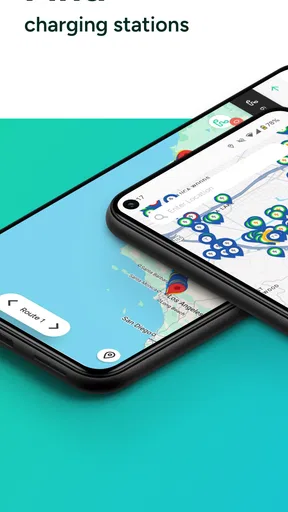
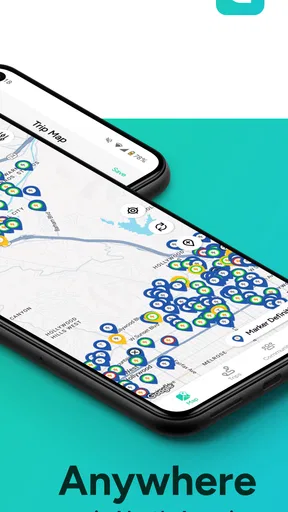
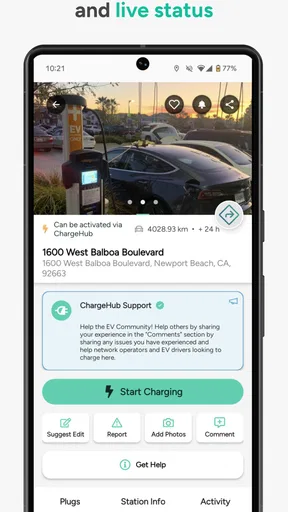
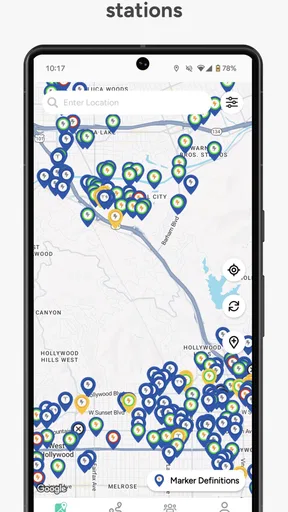
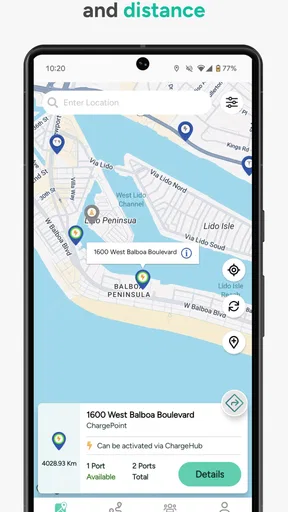
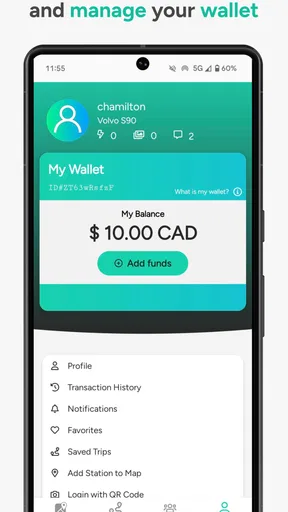
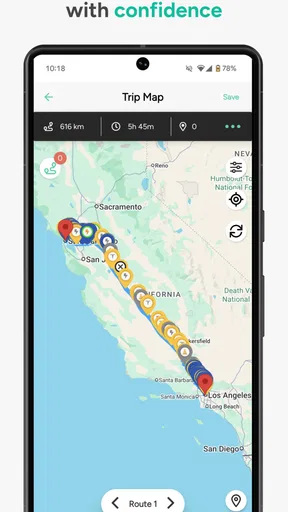
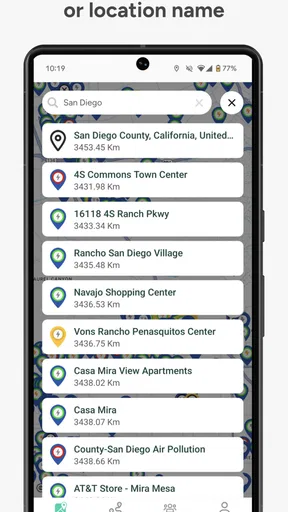
Our Review of Chargehub EV & Tesla Charging
 Analysis by Appyee
When an electric-car driver shares a vehicle with a partner, parent, roommate, or another member of the household, charging can become a coordination problem rather than a simple navigation task. One person may know the car, another may be planning the trip, and a third may be the one who needs to find a station after work. I found Chargehub EV & Tesla Charging most useful in that kind of situation because it focuses on locating charging stations for electric and plug-in hybrid vehicles instead of trying to replace every navigation tool on the phone.
The app is a free Maps & Navigation app from Mogile Technologies. Its store presence is strong, with a 4.7 average from around eight thousand ratings, and it has passed the one-hundred-thousand-install mark. Those figures suggest that it has found a practical audience, but my experience is that its value depends heavily on how carefully you check a station before committing to it. A map full of pins is helpful; a dependable charging plan requires a little more attention.
How Chargehub EV fits into a shared household routine
Imagine a household with one electric vehicle and two regular drivers. In the morning, one person uses the car for a commute, while later another driver needs it for a longer appointment across town. The first driver may already know where the usual charger is, but the second may need a different location along the route. This is where I would open Chargehub EV: not necessarily to make every trip from beginning to end, but to inspect the charging options around the destination and along the return journey.
That distinction matters. A general navigation app is usually better at turn-by-turn directions and traffic-aware routing. Chargehub EV is more specialized: it gives the charging network a central place on the map, including support for different electric and plug-in hybrid car models and Tesla vehicles. I use it as a charging research layer, then decide whether I want to navigate with it or hand the route over to the navigation app I already trust.
For a shared car, this workflow avoids a common mistake: assuming that the nearest visible station is automatically the best one. The closest pin might be inconvenient for the driver’s route, unsuitable for the vehicle, or a poor choice for a return trip. I prefer to compare several nearby locations, consider where the car will be afterward, and only then choose a stop. That extra step is especially useful when one driver is planning for someone else.
The app is also relevant when the household owns more than one type of electrified car. A plug-in hybrid driver and a fully electric vehicle driver do not always have identical charging needs. The ability to look across EV and PHEV use cases makes the map more useful than a tool built around one particular model. Tesla owners are included as well, which makes it easier for a household with different brands to keep one charging reference point.
What I would do before handing the phone to another driver
I would not simply say, “There is a charger nearby.” I would open the station information, check the details available in the app, and explain why that location is the chosen option. A shared-device workflow works better when the next driver receives a clear plan: which station to look for, why it was selected, and what the backup area is if the first choice does not work out.
One useful habit is to search around both the destination and the route home. A driver may find a convenient station near an appointment, but that does not always solve the next leg of the day. Looking at the return direction before leaving prevents the familiar situation where someone arrives with enough charge for the immediate trip but no comfortable plan for later.
Another practical habit is to avoid treating every map marker as interchangeable. I would compare location, access, and suitability for the particular car rather than choosing the first result. This is a small change in behavior, but it is one of the app’s biggest benefits: it encourages deliberate charging decisions instead of last-minute searching.
Setup, account boundaries, and everyday coordination
Because this is a household-use app, the first question is not only whether it finds stations, but how people will use it on shared devices. If everyone searches from one phone, the arrangement is simple: the person holding the phone can inspect the map and pass the information to the driver. If several people use separate phones, each person should decide whether they want their own app setup or whether one household member will remain the main planner.
I would keep that boundary clear. A charging-map app can help people coordinate locations, but it should not be treated as a complete household scheduling system. It does not remove the need to communicate who is taking the car, how far they need to travel, or whether the vehicle is expected back with enough charge for the next driver. The app supports the conversation; it does not replace it.
This is also where I would be careful with paid options. The app itself is free, while in-app purchases range from $3.29 to $29.99 per item. I would begin with the free experience and only consider an optional purchase after identifying a specific need. A household should agree on that before someone taps through a paid feature, particularly when the phone or store account is shared.
That account boundary is more important than it may sound. A shared device can make it unclear who initiated a purchase or changed a preference. I recommend deciding in advance which adult manages any paid features and keeping the app’s role separate from the household’s payment arrangements. This is not a criticism of the map itself; it is simply sensible housekeeping when several people use one device.
The app is available for users on operating systems starting with version 11, so an older phone may need attention before installation. In a household, that can affect which device becomes the shared charging screen. A newer phone may be the practical choice for the driver, while an older spare device may not be suitable. Checking compatibility before a road trip is better than discovering the problem when the battery is already low.
A simple handoff routine for two drivers
The person planning the trip searches the route and destination area in Chargehub EV.
They compare nearby stations instead of selecting the first visible marker.
They tell the next driver the chosen location and the reason it fits the trip.
They identify a second area to search if the original stop is inconvenient.
The driver confirms the plan before leaving, rather than relying on a silent assumption.
This routine is intentionally modest. It does not pretend that the app can guarantee a charger’s condition or turn a household into a perfectly synchronized operation. What it does is give everyone the same map-based starting point. That shared reference is valuable when one person knows the car better than another.
Using the app with different ages and levels of trust
The content rating is Everyone, which makes the app broadly approachable for a household with different age groups. Still, an age rating is not the same as independent driving readiness. A younger family member might be perfectly capable of looking up a station while still needing an adult to make decisions about the route, the vehicle’s range, or what to do if the planned stop is unsuitable.
I would be comfortable letting a teenager help with station research, especially before a trip, but I would not make that person solely responsible for an urgent low-battery decision unless the family had already agreed on the process. The app can show charging locations; it cannot replace judgment about traffic, weather, unfamiliar areas, or the driver’s confidence.
Trust also matters between adults. If one person is responsible for planning, the other should still be able to inspect the choice rather than receiving only a vague instruction. This is another reason I prefer using the map together during preparation. The person driving can see the selected station, understand the route, and raise concerns before the car leaves.
For shared phones, I would avoid assuming that the last search represents the current plan. A previous driver may have looked for stations in a completely different part of town. Clear verbal handoff is essential, and I would recheck the map each time instead of relying on an old screen. That small discipline prevents confusion when several household members use the same device.
I also would not use the app as a substitute for teaching basic charging awareness. Every driver should know the vehicle’s connector needs, how much flexibility remains in the battery, and what kind of stop the trip requires. Chargehub EV helps with the location question, but the driver still needs enough knowledge to judge whether the result is useful.
Where the app is stronger than usual alternatives
Compared with a standard navigation app, Chargehub EV puts charging discovery first. That is its clearest advantage. Instead of treating charging as one of many map categories, it gives EV and PHEV drivers a focused way to inspect stations, including Tesla-related needs. For a household that regularly switches between electrified vehicles, that focus is more convenient than repeatedly searching a general map.
Compared with relying only on the car’s built-in navigation, it can be useful before getting into the vehicle. A family member at home can research options while another person is preparing the car. That makes it a good planning companion, particularly when the driver is not the person who normally handles charging decisions.
On the other hand, a dedicated charging map is not automatically the best tool for every part of the journey. I would still prefer a mature general navigation app when traffic, complex directions, or full-trip routing is the main concern. I would also cross-check important stops rather than assuming that a map result alone settles every practical question. Chargehub EV is strongest when the question is “Where are the relevant charging options?” rather than “What is the complete driving plan?”
That trade-off is easy to miss. The app’s specialization makes station browsing clearer, but specialization can also mean that it should sit alongside, not necessarily replace, the tools a driver already uses. In my routine, I would use Chargehub EV to choose and understand the charging stop, then use whichever navigation method gives me the clearest driving instructions.
Limitations I would explain before recommending it
My main caution is that a station map should be treated as a planning aid, not a promise that the real-world stop will be effortless. A pin does not remove the need to check the station’s practical details, think about the vehicle, and keep a backup idea in mind. This is especially important for a shared car, where the driver may not have the same experience as the person who planned the trip.
The app can also feel less useful if you only drive familiar local routes and already know your dependable charging points. In that case, opening a separate map may add a step without solving a real problem. I see more value for occasional longer trips, mixed-vehicle households, new drivers, and anyone who wants to compare charging possibilities before leaving home.
There is also a human limitation: coordination can fail even when the map is clear. Someone may forget to tell the next driver about the plan, choose a station without considering the return journey, or leave the phone with an outdated search open. None of these problems are fixed by installing the app. The best results come when the household agrees on a simple handoff routine.
I would skip it if I wanted one application to manage navigation, charging decisions, household scheduling, and every detail of a road trip in one place. That is not how I found it most effective. I would also be cautious about relying on it without checking station information when the trip has little margin for error. The app is useful, but it rewards active planning rather than passive trust.
My household verdict
After using it as a charging-planning tool, I think Chargehub EV & Tesla Charging earns its place on the phone of an EV or PHEV household that regularly shares a car or travels beyond familiar areas. Its free entry point makes it easy to try, its Everyone rating suits a broad household audience, and its focus on charging stations is more direct than a general-purpose map.
I especially like it for the person who plans trips for other drivers. A partner can investigate the route, a parent can help a newer driver prepare, or a roommate can identify options before handing over the keys. The important point is to treat the result as a shared plan, not as an instruction that requires no further thought.
The developer, Mogile Technologies, has kept the app centered on a clear problem: helping drivers locate charging stations across EV and plug-in hybrid use cases, including Tesla vehicles. That focus is why I would recommend it over a general map when charging discovery is the immediate concern. I would not recommend abandoning a preferred navigation app, though; the two tools serve different parts of the journey.
For me, the best household setup is straightforward: use the free app to research stations, compare the options around the trip, explain the choice to the next driver, and keep a backup plan in mind. Consider paid items only after the household agrees they are worthwhile, and remember that age-appropriate access does not replace adult judgment about driving and charging. The real strength of Chargehub EV is not simply showing pins on a map; it is helping a household turn charging from an individual guess into a conversation everyone can follow.
If your family or shared household drives an electric or plug-in hybrid car and often asks, “Where can we charge next?”, I would give it a try. If you only need ordinary turn-by-turn directions on routes you already know, your usual navigation app may be enough. For everyone in between, this is a practical specialist tool—most useful when paired with clear communication and a little preparation.
Verdict
Strengths of Chargehub EV & Tesla Charging
- Covers many public charging networks in one app
- Useful filters help locate compatible chargers quickly
- Shows connector types and charging speeds before arrival
- Trip planning can help estimate charging stops
- Community reports may reveal broken or busy stations
Limitations of Chargehub EV & Tesla Charging
- Station details can vary in accuracy by location
- Some charger listings may lack current availability data
- Payment support differs between charging networks
- Popular stations may become unavailable before you arrive
- Advanced features may require creating an account
Similar Picks in This Category
View All
Uber - Request a ride
Uber Technologies, Inc.4.7


inDrive. Rides with fair fares
® SUOL INNOVATIONS LTD4.8

Yandex Go: Taxi Food Delivery
Mikromobilnost LLC Belgrade4.8

Bolt: Request a Ride
Bolt Technology4.8

Rapido: Bike-Taxi, Auto & Cabs
Rapido Bike Taxi4.8
Frequently Asked Questions
What is ChargeHub EV & Tesla Charging used for?
ChargeHub EV & Tesla Charging helps electric-vehicle drivers find charging stations, compare available connectors and charging networks, view station details, and plan trips around charging stops. During testing, the app was particularly useful for checking nearby locations and reviewing information such as operating status, pricing details, and user reports before driving to a charger.
Does ChargeHub support Tesla vehicles and Superchargers?
Yes, the app includes charging information relevant to Tesla drivers, including Tesla charging locations and compatible stations where applicable. However, access conditions can vary by vehicle, adapter, country, and charging network. Before relying on a listed location, check the connector type, vehicle compatibility, availability, and any Tesla or network-specific requirements shown in the station details.
Can I start and pay for a charging session through the app?
ChargeHub may allow drivers to interact with participating charging networks, including starting sessions or handling payment, but these features depend on the specific station operator and location. Not every charger supports in-app activation. You may still need the operator’s account, RFID card, separate application, or another payment method, so review the station instructions before arriving.
How accurate are the station availability, pricing, and location details?
The app provides useful station information, but charging data can change quickly because it may depend on network updates and driver reports. A charger marked available could become occupied or unavailable before you arrive, and prices may vary by time, membership, location, or operator. Treat the displayed information as guidance and verify important details whenever possible.
Is ChargeHub EV & Tesla Charging free to download and use?
The application can generally be downloaded without an upfront purchase, although certain charging networks may charge session fees, energy rates, parking costs, or membership prices. These charges are controlled by the station operator rather than necessarily by ChargeHub. Before beginning a session, check the displayed pricing, possible idle fees, and payment terms to avoid unexpected costs.
